This month we are sharing some sites that we are using in our classes beyond Classroom suite.
We are using Raz kids during literacy time as well as for home reading.
We use Tumble Books and Epic for some read to us books during recess time.
My class has been using code.org to do hour of code. My class loves being able to use this coding platform.
My students are continuing to enjoy ABC.ya as well.
Wednesday, December 14, 2016

Wednesday, November 30, 2016
Updates with the SET Project
So November flew by and here I am facing only 16 days of December! We started our month with a visit from Scott, who came by to say hi and offer support. Thanks again Scott for all the great feedback!
As the month has wound down, I thought I would do a little right now update for the project.

What I'm seeing: the students really enjoy using the technology.
What I'm hearing: thankfully, nothing. The sounds from the laptops were driving me slowly crazy, but when I introduced the earbuds my sanity was restored.
What I'm thinking; that I want to get the laptops out for other things. The kiddos are getting bored with CS right now.
What surprised me this month: how helpful they are with each other and how most of them "tell" rather than "do" when they are helping.
What I'm feeling: I'm feeling like I want to try to get them managing the storage and movement of the laptops. I know that I need to teach the expectations very clearly and just let go, but the machines are worth so much money...
This is my earbud storage, and it's working out really well. I've used this in the past and keep the containers from year to year. I got them at the dollar store and just run them through a dish washer when the year is over.

Friday, November 4, 2016
SMART Learning

On October 21st, we had our first Professional Development day. I have a friend who has been using SMART Reading for a number of years and loves it. She and some other teachers from my district decided to run a 4 part workshop to introduce more teachers to SMART.
SMART Learning is what it is called now and it was created and developed by a BC teacher named Susan Close. She has been working on and revising these ideas for decades, but there is no printed resource to support it. Yet. There are workshops and in-services held all over the place that you can attend, and you can find more information here. I personally have heard of her over the years, but because of the time and cost investments, have not gone to any out of district workshops. I like to know what I'm getting myself into first.
 When Angela told me that her and the English Language Arts LSA were working on bringing something to our district that I could attend on my Pro D days, I decided that I would finally check it out. I was not disappointed. Through the course of the day I began to get a little more clearer idea of what SMART is about. The morning started off with presentation from all four ladies about how they use it and why they think it's great. They had student testimonials, quotes and stories from their experiences, which was nice to hear, but I was waiting for the "meat" of it. I appreciated the way they took us through a "sequence"- this is what Susan calls the series of lessons- from beginning to end and had us experience it as a student. They had to shorten and compress the sequence but it gave me a really good grasp of what to do. Best thing was they gave us materials to go back and do a sequence with our classes. It was even leveled appropriately for our different grade levels! (This makes me more willing to try something when I don't have to put in the extra time to make it grade level appropriate)
 Overall, I enjoyed my day. It was a full 6 hours and by 3pm, my brain was aching, but when I walked away and was able to process the information, I found lots that was relevant.
Tuesday, October 18, 2016
Morning Centres
 Another new thing I've started this year, is having morning centers
instead of morning work. I'd started this at the end of last year
because I wanted to give the kiddos more time to explore with magnets
during our unit. It was a big hit and I was amazed at all the
conversations that I was hearing! So this year I've started right away
with it. I've been using patterning materials, flash cards, games,
sight words, Power of Ten cards and fairy tale masks for some drama
play. It was a great way to introduce the first literacy centers that I
wanted them to learn and when it was time to start rotations, they
already knew what to do!

 A couple of drawbacks are that
it takes them a little longer to get ready for carpet time and of
course it is a little noisier than when they were doing paper pencil
tasks. Also, I need to have a bigger collection of "things" around the
classroom as I don't want them to get bored with centers. I try to have
the morning choices be different than the rotation centers so that they
don't get bored. Next week I'm going to put out some building centers
and some colouring/drawing options.
Sunday, October 16, 2016
Working with the laptops
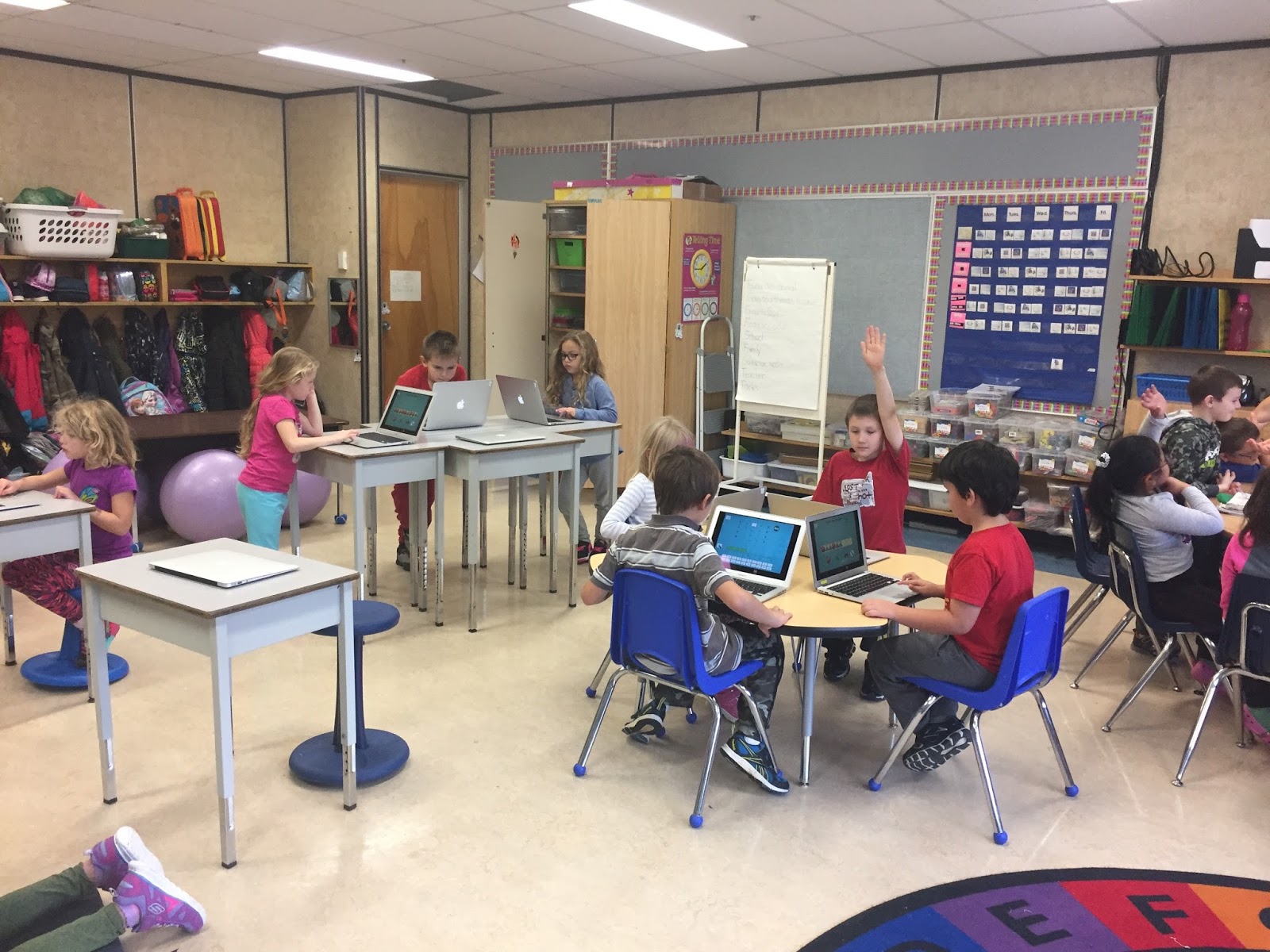 So in the last post about the laptops, I outlined this great plan that I'd decided on. Well on the day of, I decided to scrap the plan and just go for it. I put all the computers out on the desks, assigned kiddos to a computer and we all went through how to turn on the machines, how to go to Classroom Suite and how to access student assignments.

I was so surprised at how smoothly it all went! They were pretty patient and took turns really nicely and it all went really well.
Today, I pulled out the laptops during math rotations and had it in for two of the

One thing I will have to work on is the timing. They were finished the assignments way quicker than I'd imagined, so I will have to make sure that the tasks are a little more involved and/or there are extra assignments for them to do.
Friday, October 7, 2016
Flexible Seating So Far
I was surprised at how easily the kiddos have adjusted to the flexible seating options in our classroom. I've had quite a few comments from parents about how relaxed and friendly it seems and other staff members peek in to ask questions and see how it's going.

 So far there has been no fighting over seating options. I have had a few kids choose the balls ALL the time, but after a reminder that others want to use them too, they have started moving a bit more. It does make me think that maybe I want to include another grouping of the balls. I'd also like to get a few beanbag chairs to have available, but right now space is a
bit of an issue. I do have a bench that I am refinishing at home to include in the mix, but I'm not in a rush right now, as I have enough places for all the kiddos to be. The bench allows the students to sit on the floor and have a surface and a group to be with. One of my students from last year has asked where it is. It is a fine line between having lots of options and too many options. I also don't like to have a very crowded space and all of these things need take up real estate in the room.
 A really popular space is this one. It is supposed to be for the listening center, but someone is always in the chairs reading or sometimes visiting.


I store the mats in this blue bucket I found at Walmart, and stack the cushions next to it. Chairs are stacked at the end of the day at the front of the room, balls go on top in frisbees and the wobble chairs are turned so the flat surface is on the desk. The kiddos have been much better at clean up lately, which makes my life way easier.
Wednesday, October 5, 2016
Classroom Suite Inquiry Project
This year I am excited to be a part of an Inquiry project with SET BC using Classroom Suite as part of my math program. I was involved in a collaboration group with other teachers from my school looking at math and ways to improve number sense across the grades. This project will enable me to continue with the work I have already started.
Today was our first meeting. We all called in from our different sites and after a few technical difficulties, we got started. It was nice to be able to connect with everyone again, and hear about how the school start up went for everyone. It also helped bring my stress level down when I heard that not every one is up and running.
I spent most of the morning remembering how to navigate Classroom Suite and making a list of tasks I want to accomplish with the laptops before I get them into the hands of the kiddos. As much as I like tech, I'm still a paper and pencil kinda girl, so I was busy scribbling while listening to the chatter and questions.
I think my first step will be to introduce my class to the laptops and get the kiddos comfortable with them. I'm not expecting this to take very long, as I did an little survey in my room and all of the kids have some level of tech know-how. I will go into Classroom Suite and use my projector to show them what I'm doing. I've noticed that there is a little pause in the instructions that they will need to have patience for.
In the back end, I will be creating the groups for the computers and making sure that there is no over-lap, I'd like to have the students working on the computers by themselves if possible, by the end of October. My first goal is to have them working with the tools for math to start (my inquiry is around math), but have the laptops integrated into other subjects as well. I have noticed that I have many reluctant writers in my class this year, and I know I could hook them with writing on the computer... still working out what that's going to look like. I have a number of activities that I have ready to transfer to the other laptops, so that's what I'll be working on this week.
My district tech Principal allowed me to re-purpose a cabinet that was already in my room. This is what it looks like. The key stays with me, not in a desk or anything and I keep it locked at all times.


I am going to be stacking them 2 high, as you can see. Once I get all the charging cords in place, I will update the picture. I'm sure it's going to look like a hot mess!
Today was our first meeting. We all called in from our different sites and after a few technical difficulties, we got started. It was nice to be able to connect with everyone again, and hear about how the school start up went for everyone. It also helped bring my stress level down when I heard that not every one is up and running.
 |
| This was my work station in the board room at the district office. |
I think my first step will be to introduce my class to the laptops and get the kiddos comfortable with them. I'm not expecting this to take very long, as I did an little survey in my room and all of the kids have some level of tech know-how. I will go into Classroom Suite and use my projector to show them what I'm doing. I've noticed that there is a little pause in the instructions that they will need to have patience for.
In the back end, I will be creating the groups for the computers and making sure that there is no over-lap, I'd like to have the students working on the computers by themselves if possible, by the end of October. My first goal is to have them working with the tools for math to start (my inquiry is around math), but have the laptops integrated into other subjects as well. I have noticed that I have many reluctant writers in my class this year, and I know I could hook them with writing on the computer... still working out what that's going to look like. I have a number of activities that I have ready to transfer to the other laptops, so that's what I'll be working on this week.
My district tech Principal allowed me to re-purpose a cabinet that was already in my room. This is what it looks like. The key stays with me, not in a desk or anything and I keep it locked at all times.


I am going to be stacking them 2 high, as you can see. Once I get all the charging cords in place, I will update the picture. I'm sure it's going to look like a hot mess!
Subscribe to:
Posts (Atom)